Categories & tags
Organize every transaction with categories for reports and budgets, and tags for anything extra.
Step by step
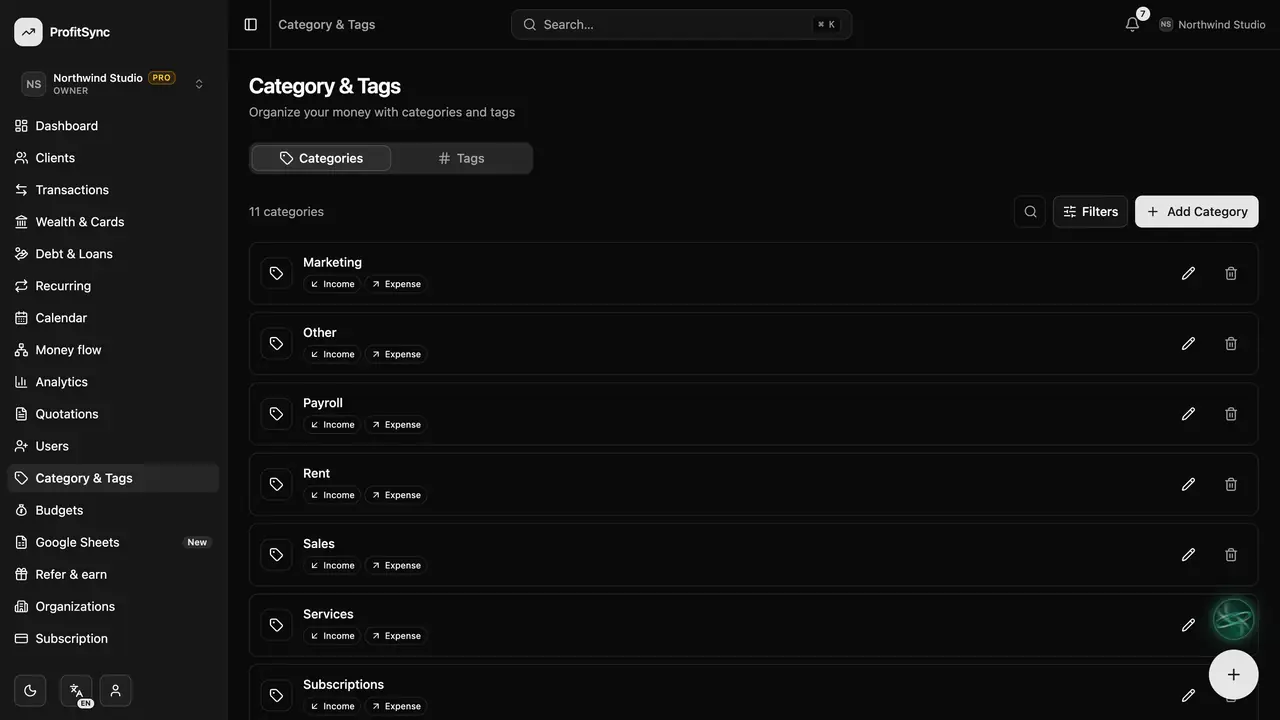
Open Category & Tags
Choose Category & Tags in the sidebar. The Categories tab lists every category with where it is used.
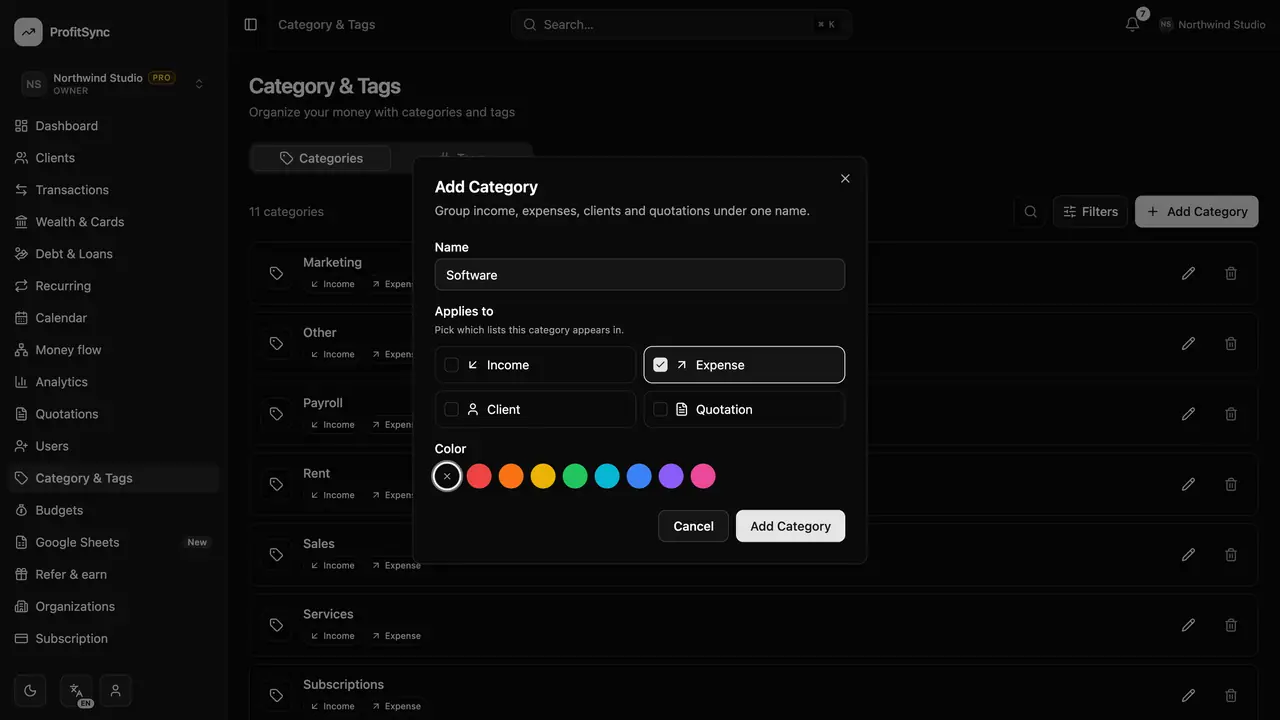
Add a category
Click Add Category, name it and choose whether it is for income, expenses or both.
Edit or remove
Use the pencil to rename a category or the bin to remove one you don't need.
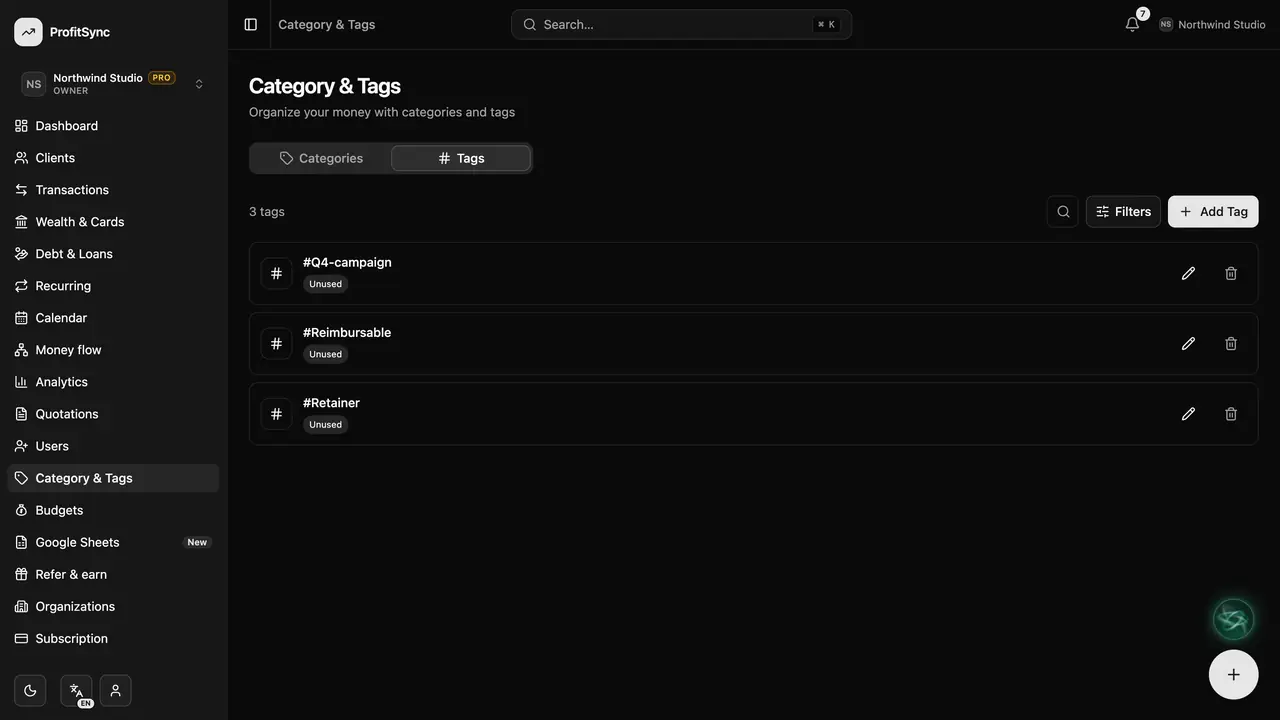
Use tags for extras
Switch to the Tags tab to manage tags like #travel or #reimbursable, then add them to any transaction.
Good to know
- Budgets and analytics group spending by category, so a tidy list gives you clearer reports.
- Type # in a transaction's tag field to pick an existing tag.
Related guides
Write to us and a real person will reply. Contact support