Clients
Keep every client with their income, costs and profit, and see which relationships really pay.
Step by step
Open Clients
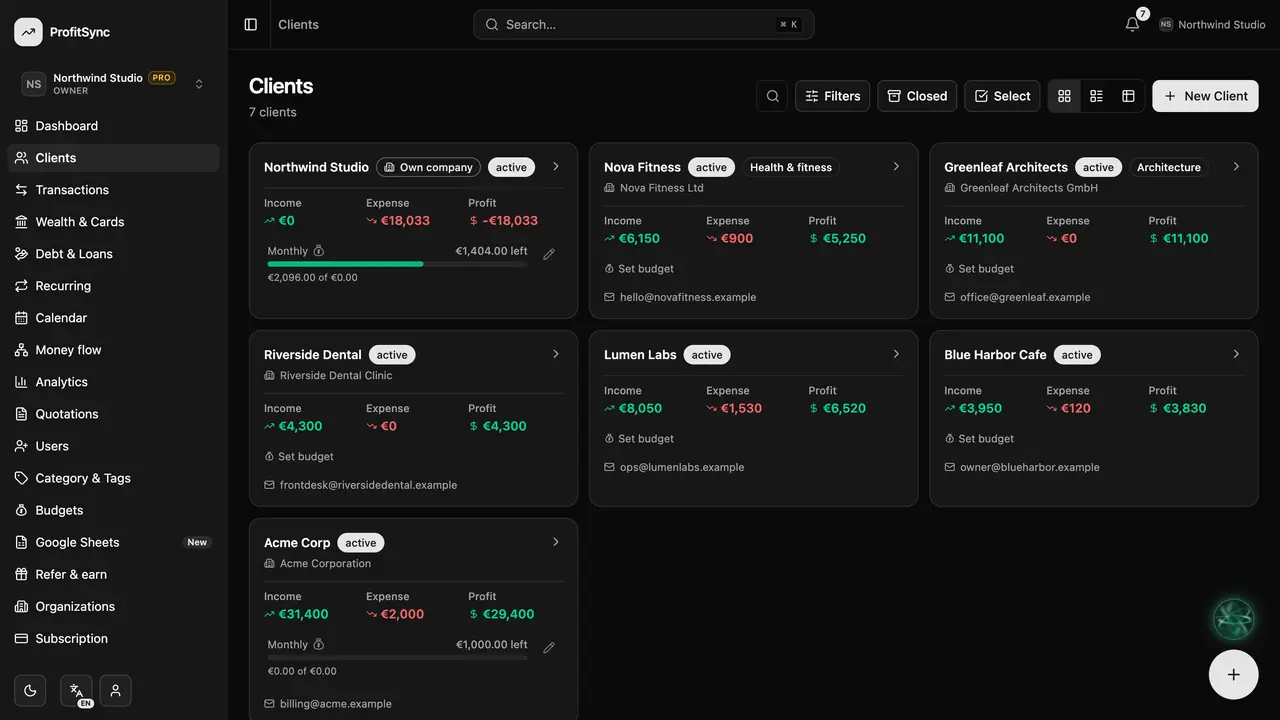
Each card shows a client's income, expenses and profit. Switch between cards, list and table with the view buttons.
Add a client
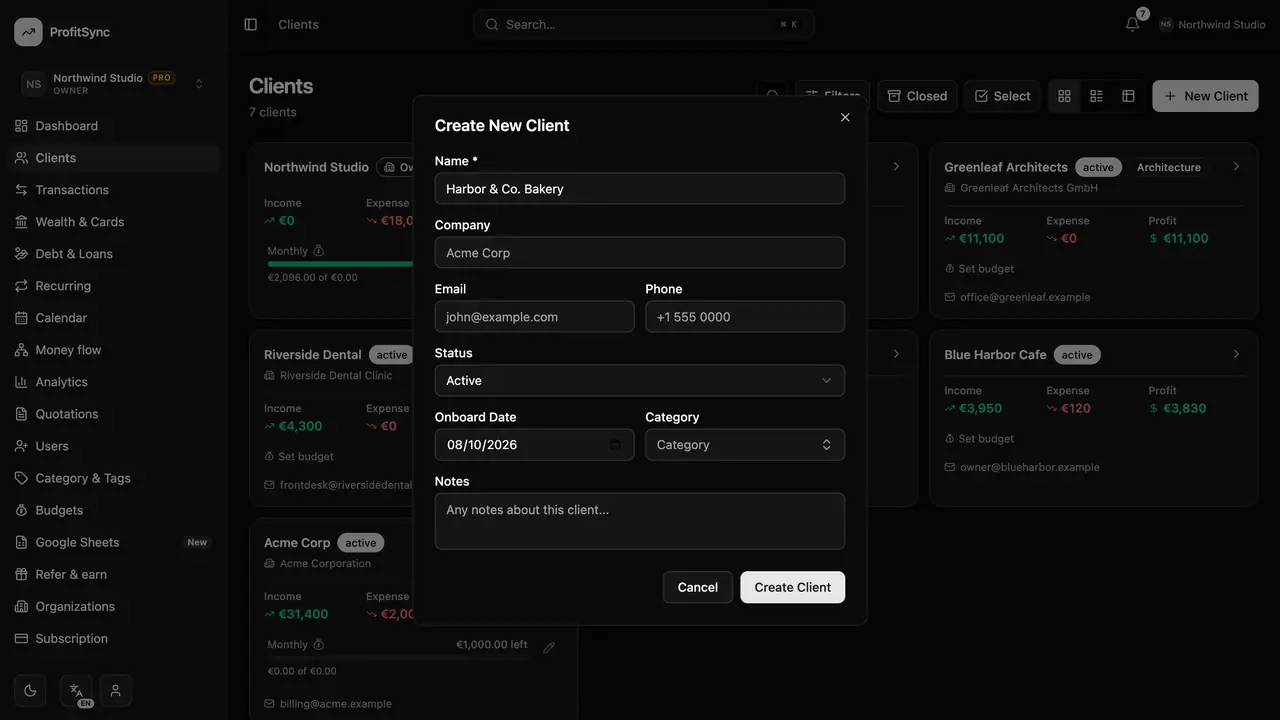
Click New Client and enter the name, company, contact details, status and category.
Open a client
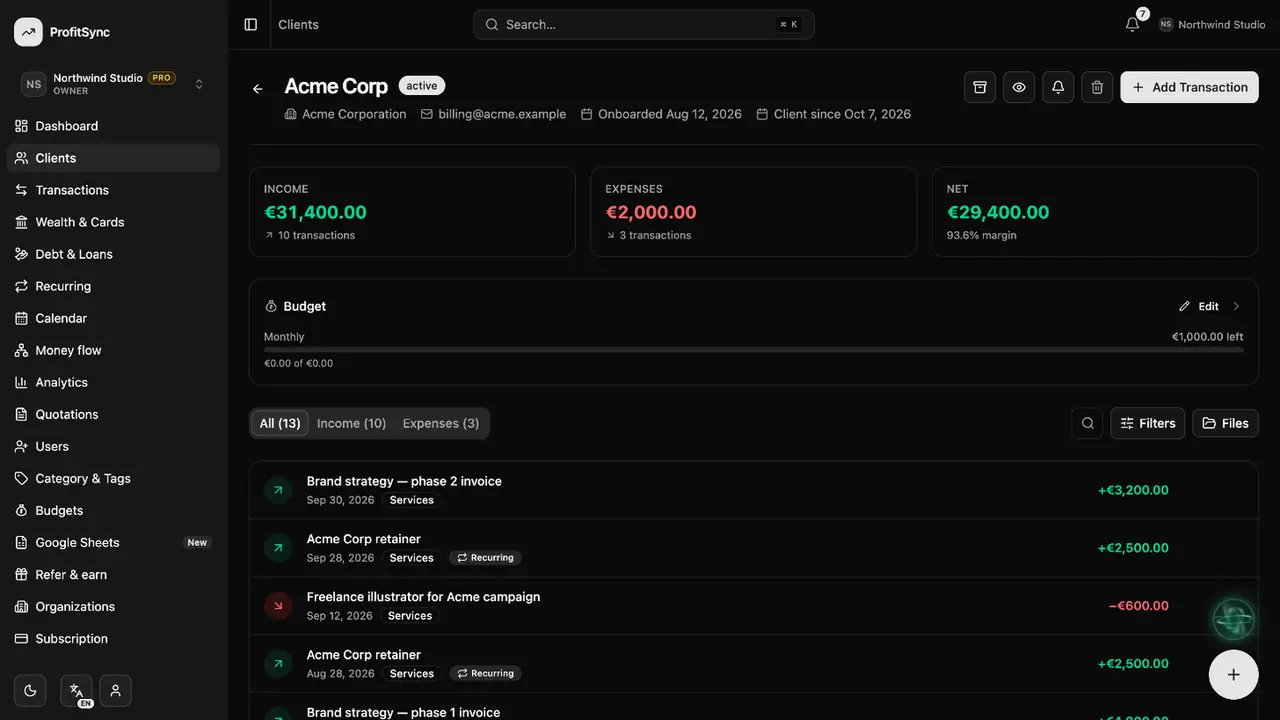
Click a client to see their profit and margin, every transaction, their files and notes.
Set a spend cap
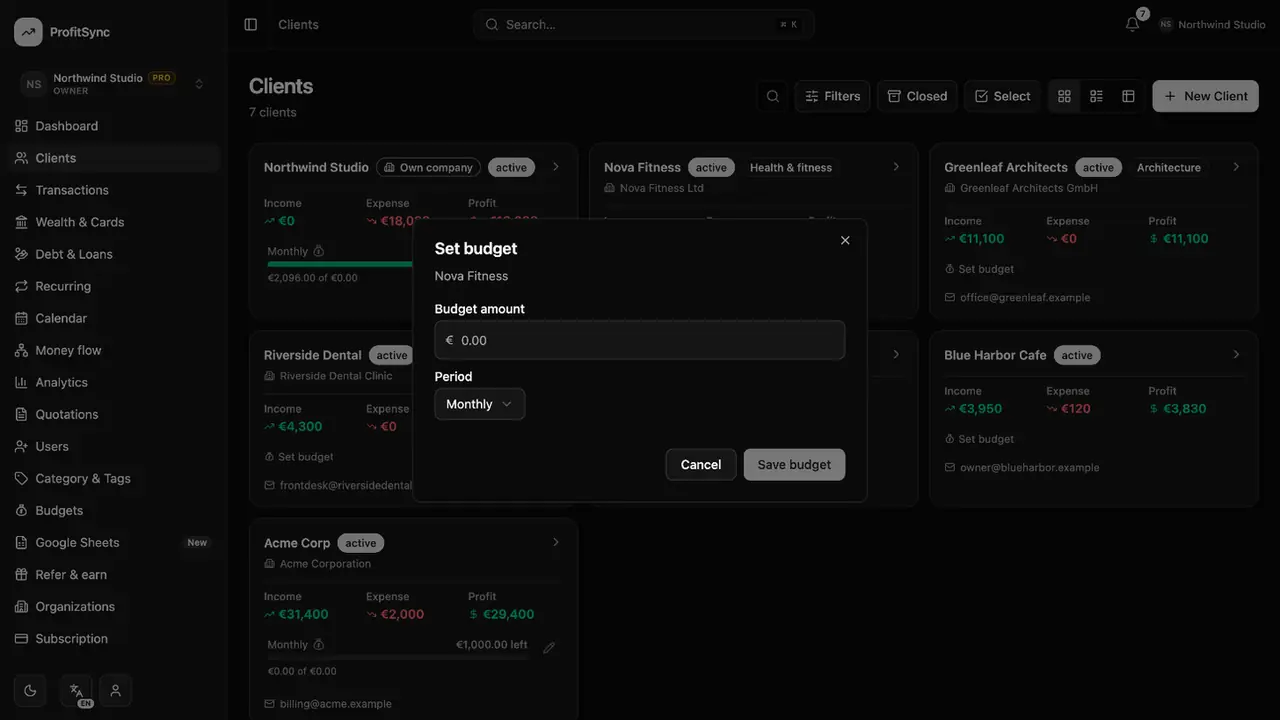
Use Set budget on a client card to cap how much you spend on that client each month.
Close finished work
Close a client when the work is done. Their history stays safe and you can reopen them any time.
Good to know
- Your own company is a client too — use it for general business costs.
- Clients are available in business workspaces.
Related guides
Write to us and a real person will reply. Contact support