Workspaces & team
Run separate workspaces for each business or for yourself, and invite your team with the right role.
Step by step
See your workspaces
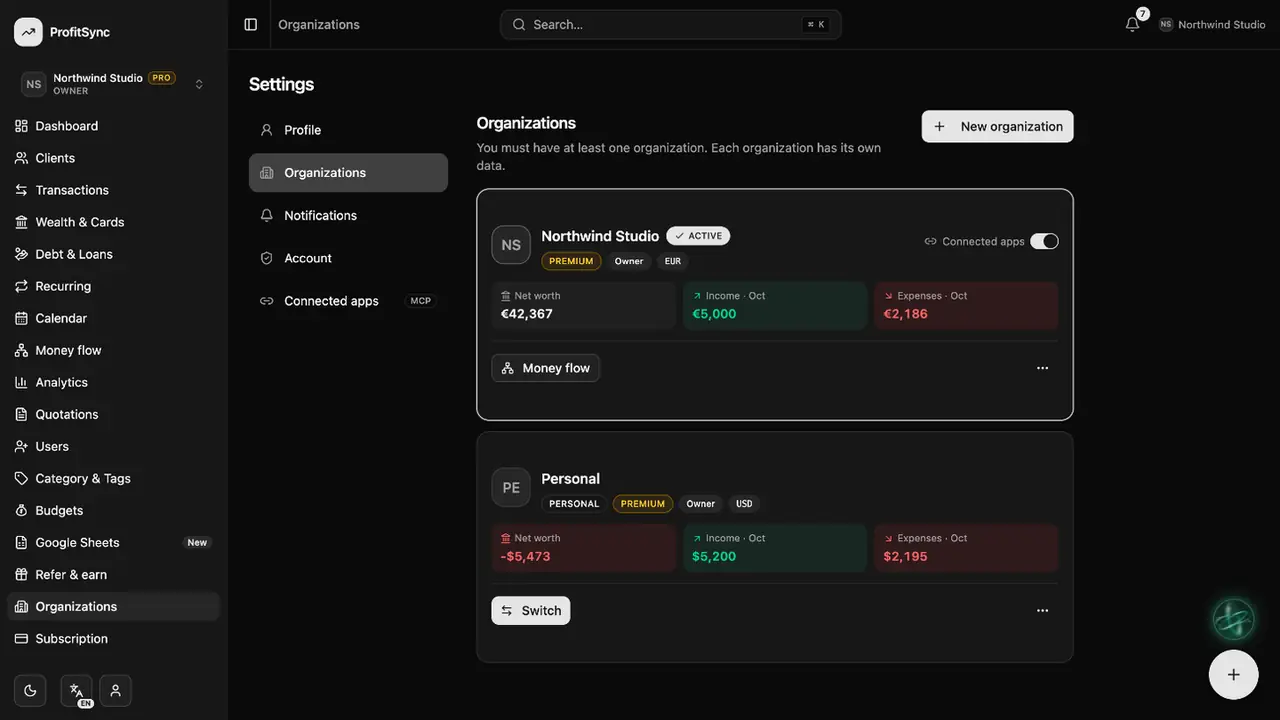
Open Settings → Organizations to see every workspace with its net worth and this month's money.
Create a workspace
Click New organization, name it and choose its currency. Each workspace keeps its own data.

Switch workspaces
Click Switch on a card, or use the workspace name at the top of the sidebar.
Invite your team
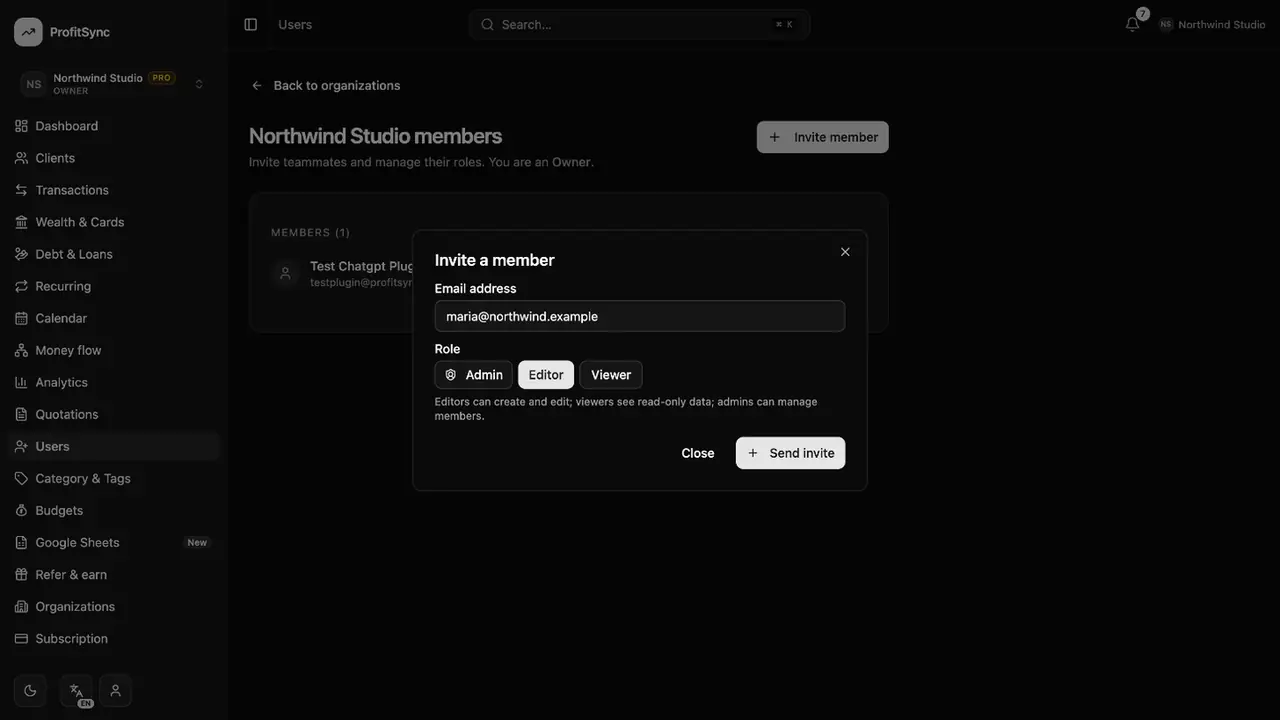
Open Users, enter a teammate's email and choose a role: Admin, Editor or Viewer. They get an invitation link.
Good to know
- Viewers can see everything but change nothing — great for an accountant.
- Owners and admins can remove members or cancel invitations at any time.
Related guides
Write to us and a real person will reply. Contact support