Banks & accounts
Track cash and every bank account, see your net worth, and move money between accounts with transfers.
Step by step
Open Wealth & Cards
The Banks tab shows your net worth and every account with its current balance. Cash in Hand is there from the start.

Add a bank
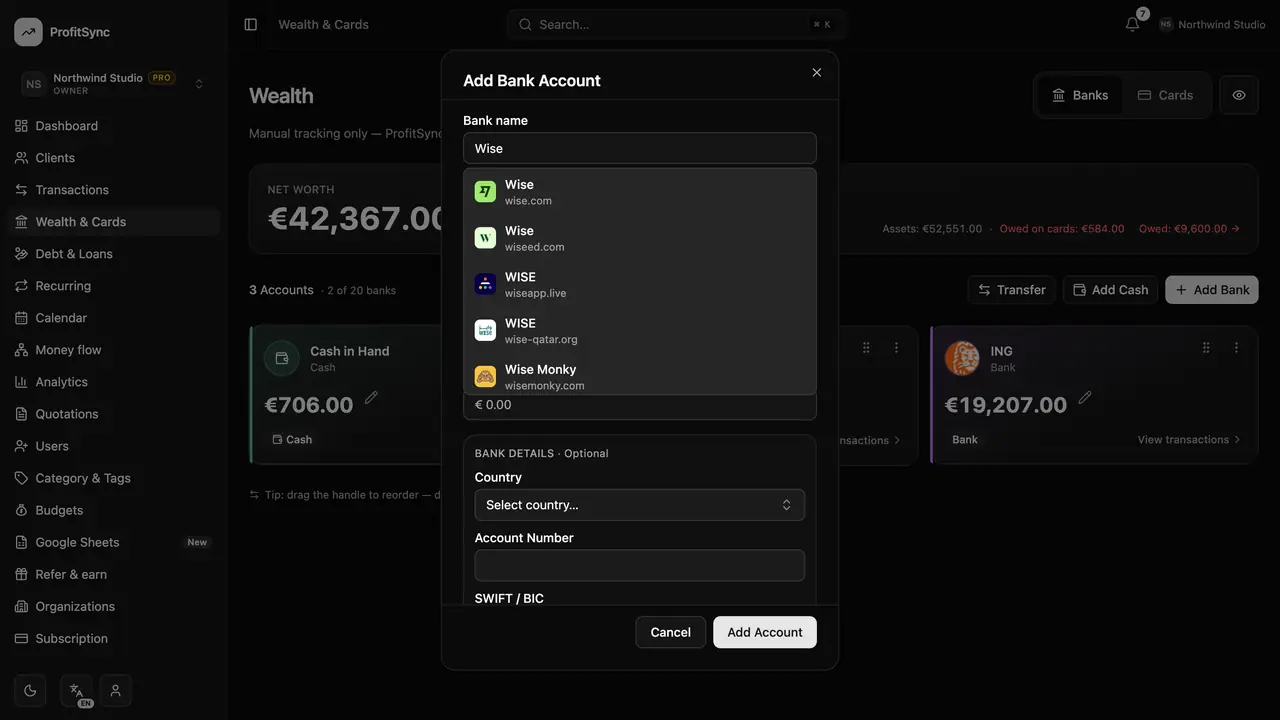
Click Add Bank, start typing the bank name to pick its logo, and enter today's balance as the opening balance.
Move money with Transfer
Click Transfer to move money between two of your accounts. Transfers never count as income or expense.

Open an account
Click View transactions on any account to see its own ledger, adjust the balance or archive it.
Good to know
- ProfitSync never connects to your bank — you stay in control of what is recorded.
- Drag an account onto another to start a transfer between them.
Related guides
Write to us and a real person will reply. Contact support