AI quick add
Describe a payment in your own words, snap a receipt or just speak — AI fills in the form for you to check.
Step by step
Open the sparkle
In Add Transaction, click the ✨ button in the top corner of the form.
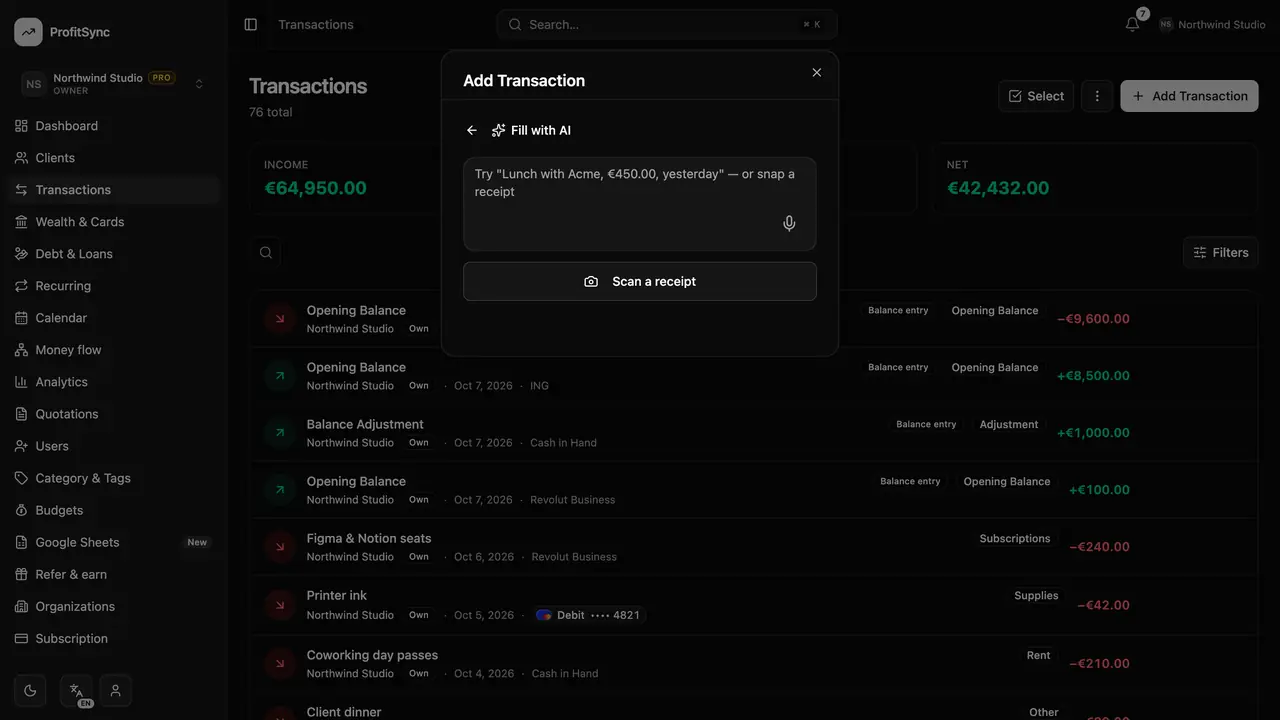
Say what happened
Type something like “Paid 65 euro for Adobe today from Revolut”, attach a receipt photo, or use your voice.
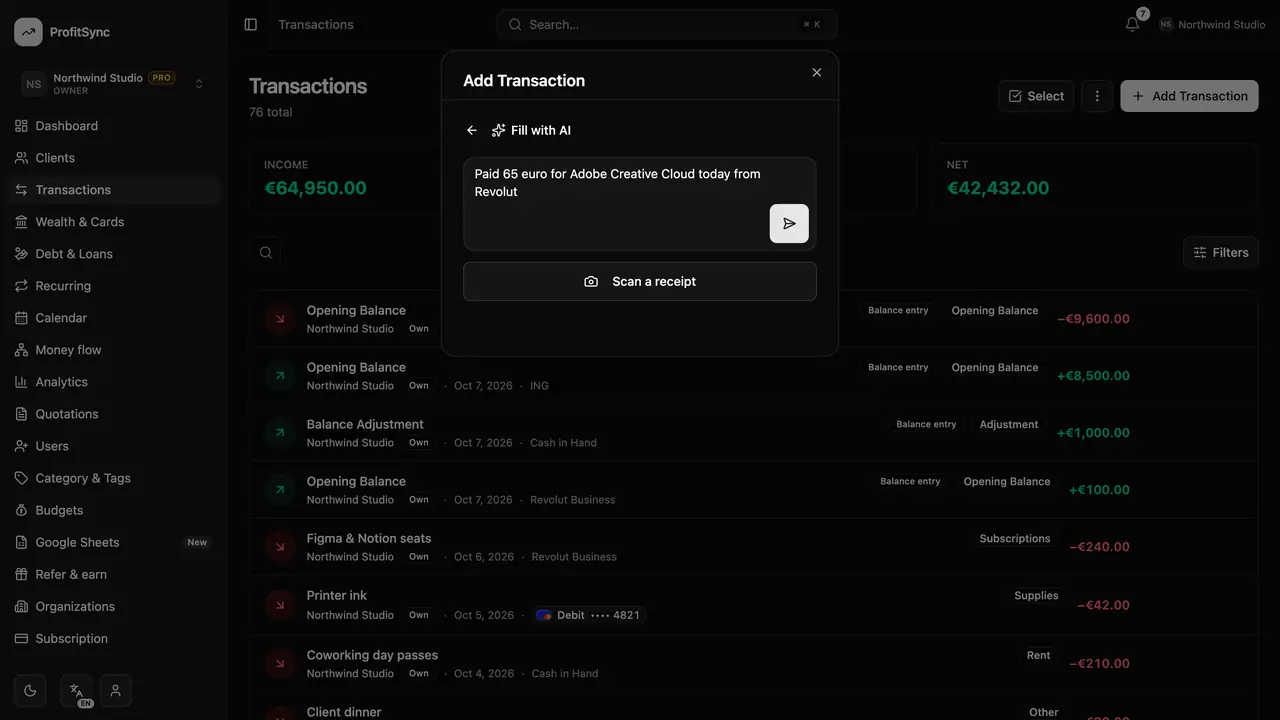
Check the suggestion
AI fills in the type, amount, account, category, date and description. Nothing is saved until you confirm.
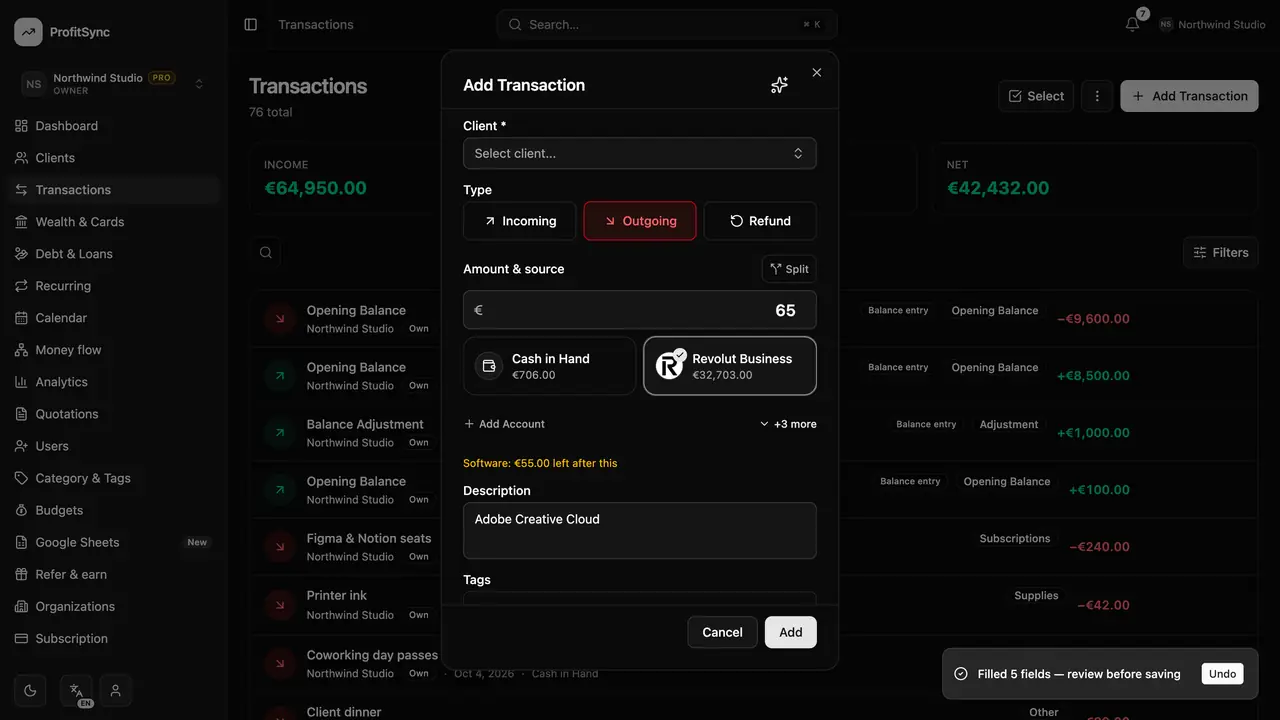
Save it
Fix anything that looks off and click Add, just like a normal transaction.
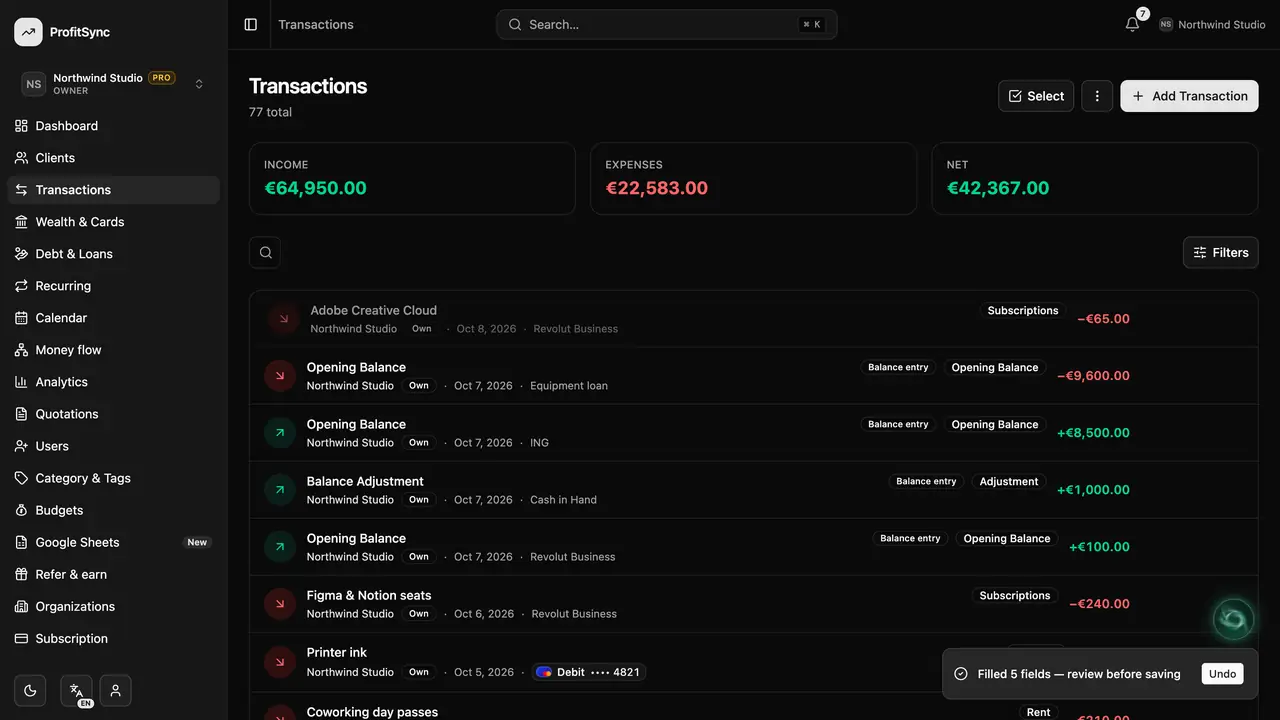
Good to know
- Each AI request uses a few AI credits. Free workspaces get a one-time grant; Premium refills every month.
- The green assistant orb can also add clients and quotations for you.
Related guides
Write to us and a real person will reply. Contact support