Connect ChatGPT & Claude
Ask AI apps like ChatGPT and Claude about your money, or add entries by chat — safely, with your permission.
Step by step
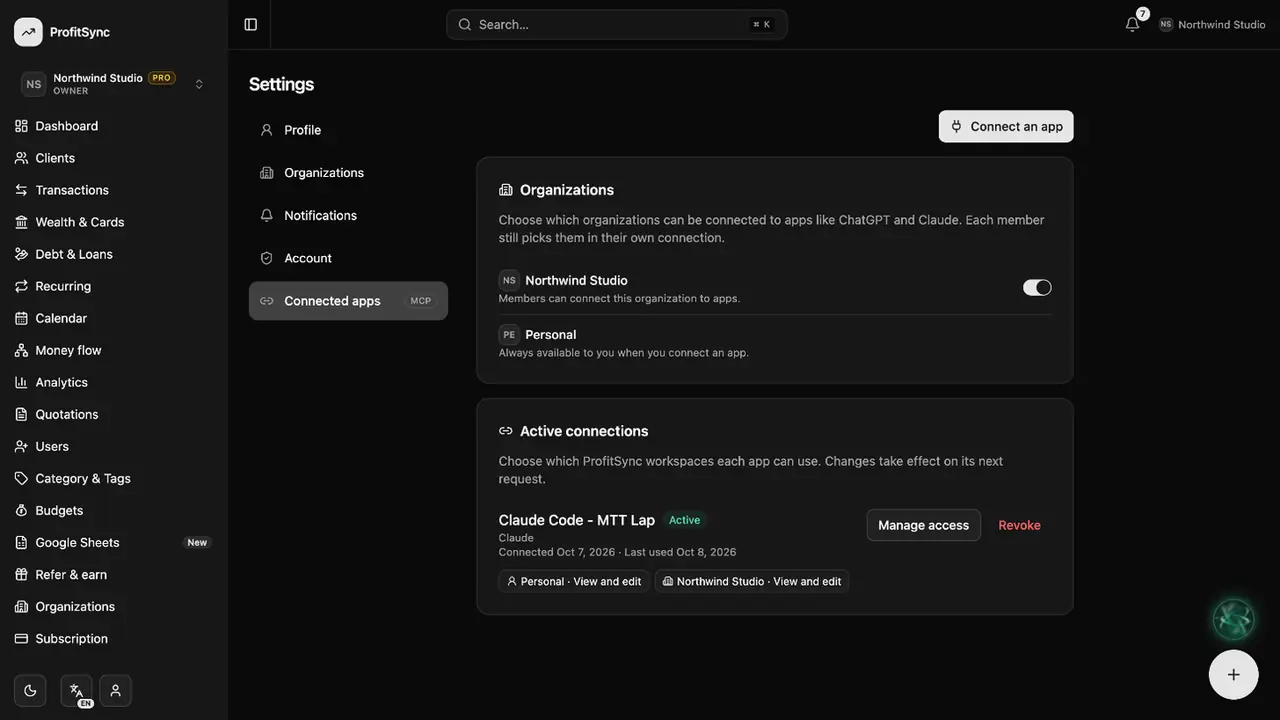
Open Connected apps
In Settings, open Connected apps to see the guides and every app you have connected.
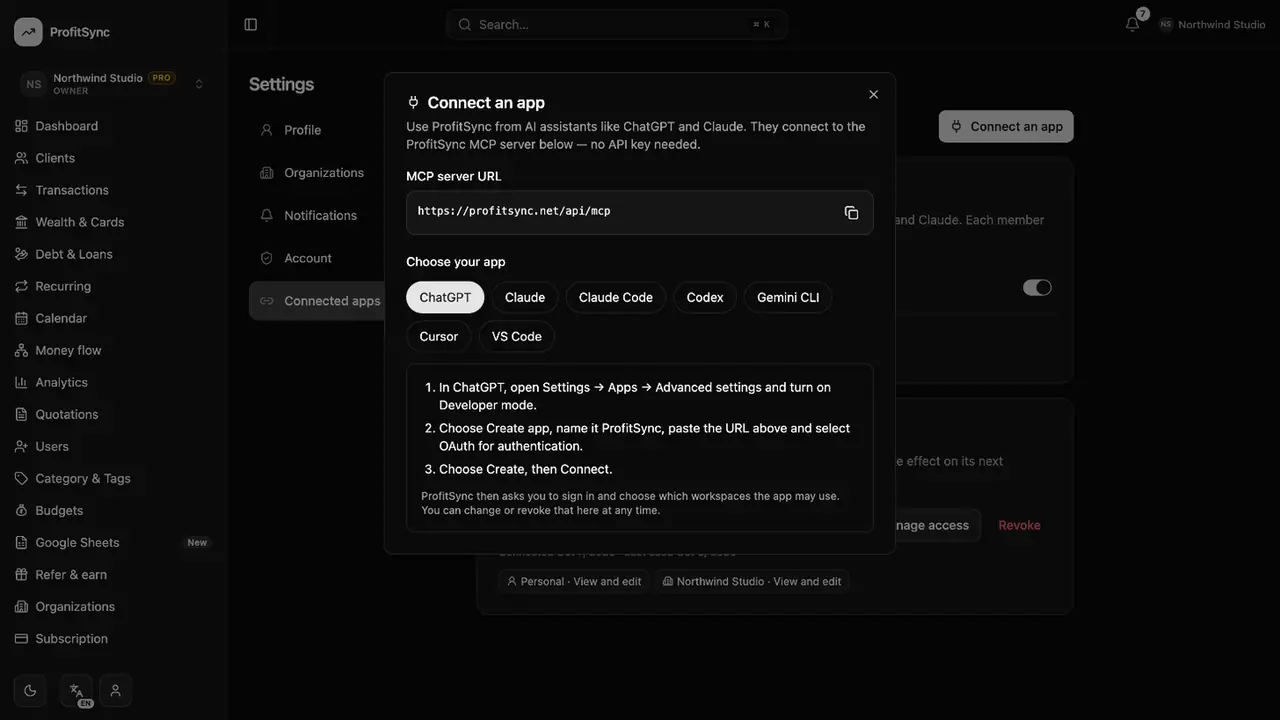
Add ProfitSync to your AI app
Follow the guide for ChatGPT, Claude or Claude Code to add the ProfitSync connector.
Approve access
Sign in, choose which workspaces the app may use and whether it can only read or also write.
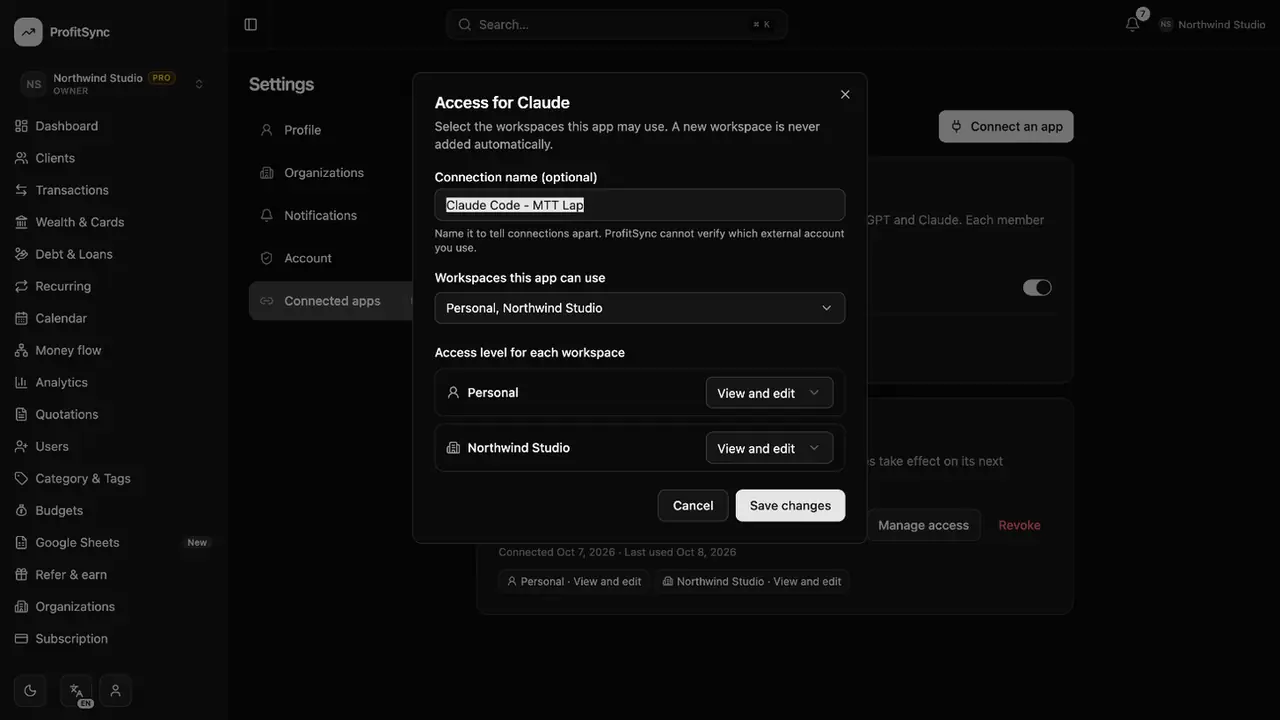
Manage or revoke
Come back here to narrow access or disconnect an app instantly.
Good to know
- A workspace owner can switch AI app access off for the whole company.
- Apps only ever see the workspaces you approve.
Related guides
Write to us and a real person will reply. Contact support