Refer & earn
Share your link, and earn a reward when a friend upgrades to a paid plan.
Step by step
Open Refer & earn
Find your personal referral link and code at the top of the page.
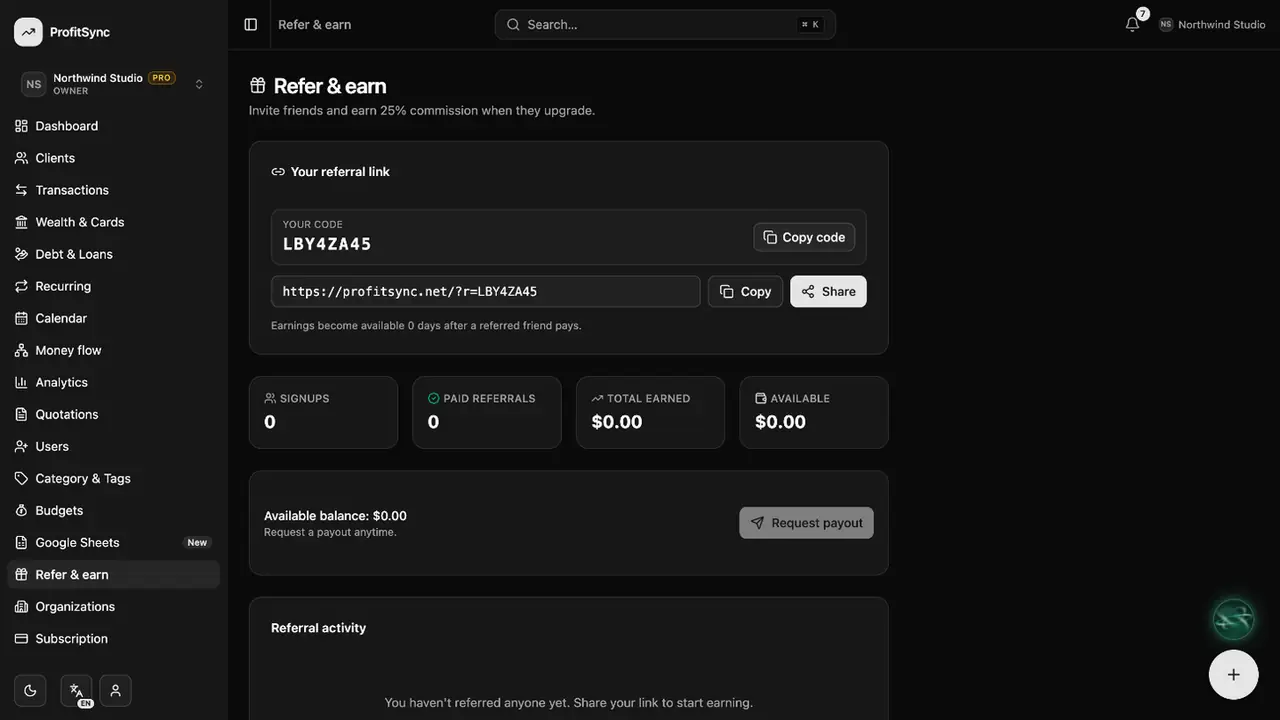
Share your link
Copy the link and send it to friends or post it wherever you like.
Track your rewards
See who signed up, who upgraded and what you have earned.
Request a payout
Once you reach the minimum, request a payout to your chosen method.
Good to know
- You earn only when a referred friend pays for a plan.
- Payouts are reviewed and sent by the ProfitSync team.
Related guides
Write to us and a real person will reply. Contact support