Trash & restore
Everything you delete waits in Trash, so you can bring it back — or remove it for good.
Step by step
Open Trash
Deleted clients, transactions and quotations are listed here with when they were deleted.
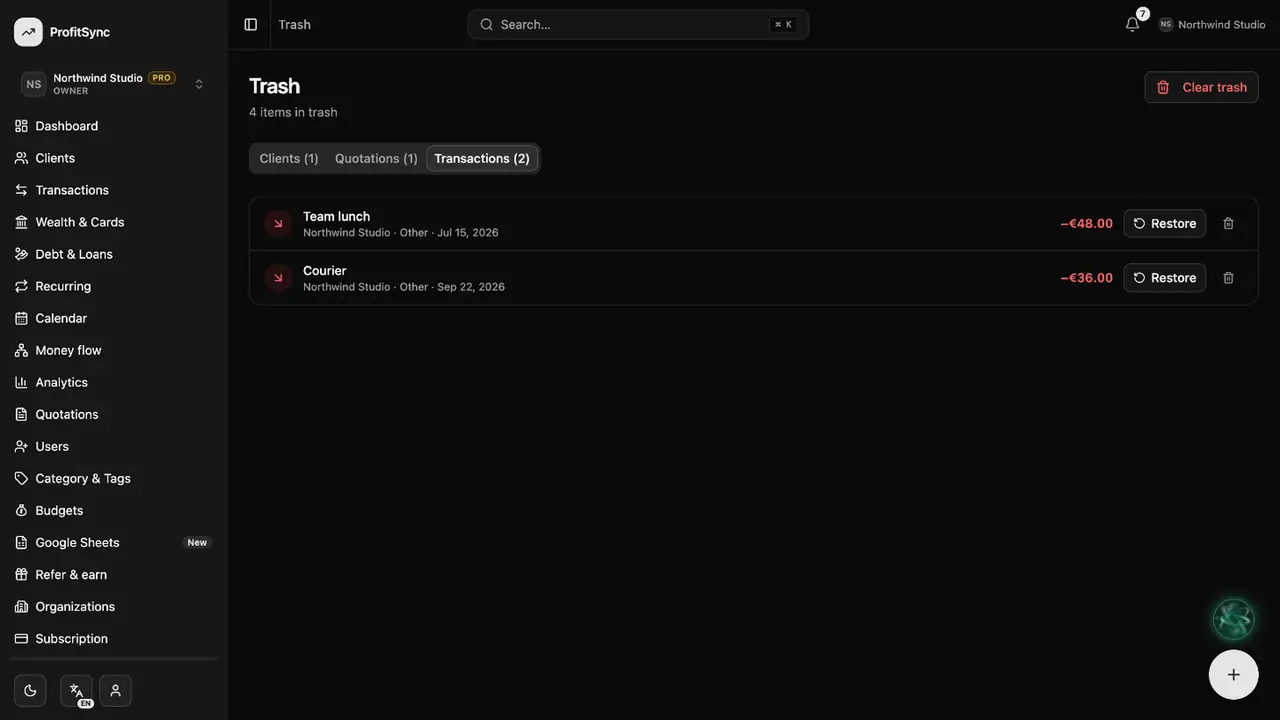
Restore an item
Click Restore to put an item back exactly as it was — balances included.
Delete for good
The bin icon removes an item for good. Clear trash empties everything at once.
Good to know
- Restoring a transaction puts its amount back on its account automatically.
- Only owners and admins can permanently delete.
Related guides
Write to us and a real person will reply. Contact support